 Editpad
 Chat
Chat
 Premium

0%
 Plagiarized Content
0%
 Unique Content


Exclude URLs
Content from these links won’t be checked for plagiarism.
 Maximum :max URLs are allowed!
Please enter a valid URL.
Maximum :max URLs are allowed!
Please enter a valid URL.


0%
Plagiarized Content
0%
Unique Content
| Total Words: | 0 |
| Unique Words: | 0 |
| Sentences: | 0 |
0 matches from 0 sources
| Sources | Similarity |

Matched Resources
0 matches from 0 sources
0%
Plagiarized Content
0%
Unique Content
Editpad Plagiarism Checker is an advanced tool that detects plagiarized text and provides a list of matched sources. Paste or upload any essay, article, research paper, or document, and instantly get the percentage of plagiarized and unique content. Editpad is a reliable tool that compares your writing against vast datasets and quickly catches copied, partially duplicated, and improperly cited text.
Follow these simple steps to check plagiarism using Editpad:
Our tool uses the latest algorithms to deeply check your content against online sources. It detects both exact matches and closely similar text, helping you accurately verify originality.
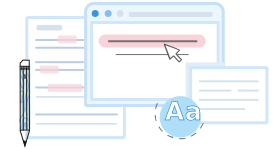
Editpad's plagiarism detector goes beyond just giving the overall plagiarism score. It highlights plagiarized sentences individually, so you can know exactly which lines need rephrasing.
Whether you’re checking a short paragraph or a full-length document, the free online Plagiarism Checker delivers plagiarism reports within a few seconds.
Editpad lets you fix plagiarism issues instantly. Click on any highlighted sentence to open its source details, where you’ll see two options;
“Cite It” to generate a proper citation in MLA, APA, Chicago, or Harvard style.
“Rewrite” to get a unique alternative for the plagiarized sentence. Then, hit “Apply” to replace the original text.
Editpad lists all matching sources in the side panel, along with their URLs and match percentages. Plus, you can exclude a source or click into any match to jump straight to the duplicated lines.
Our plagiarism detector is simple; you can use it without technical expertise. Just upload your document or paste your text, hit the “Check Plagiarism” button, and get a detailed plagiarism report.
This tool is available in different languages, including English, Spanish, German, Indonesian, Swedish, Portuguese, French, and more.
Here's who uses Editpad's plagiarism checker online;
The plagiarism checker is useful for students to spot unintentional plagiarism in their assignments and prevent serious academic consequences.
Teachers use our similarity checker to check the percentage of plagiarism in their students’ work.
Professional writers need to create a wide range of content, but they may unintentionally reuse existing ideas. Our tool helps them find accidental plagiarism before finalizing their work for clients.
Bloggers and webmasters can also do a quick plagiarism check before publishing blog posts to verify originality.
Yes, Editpad lets you check plagiarism for free.
To avoid plagiarism, use proper citations, express ideas in your own words, and always check your content with our plagiarism identifier to ensure originality.
Plagiarism is illegal because of copyright infringements, and can result in serious consequences. Whether you are a student, content writer, blogger, or webmaster, plagiarized content can harm your credibility. In case of a website’s page, it may get penalized by Google. That’s why it is important to check your content's originality before submitting or publishing it.
Of course! Editpad plagiarism detector allows you to check your essays for plagiarism for free.
Absolutely! With advanced technology, our plagiarism detector is efficient in identifying paraphrased text as well.
The free version of our plagiarism detector lets you check 1,000 words in a single scan. But, with the premium version, you scan up to 1,5000 words per submission.
 Citation Assistant
Verify the source information and complete any empty fields the best you can.
Open the source webpage
If you leave any fields blank, we'll create the citation with as much information as we have.


What do you think about the editpad tool?

Thank You
Your submission has been received.
We will be in touch and contact you soon!


 APIs
APIs