-


Editpad’s Paraphrasing Tool helps rephrase sentences, paragraphs, articles, and other types of content. The paraphrase tool’s 8 pre-defined modes and the Custom mode let you uniquely reword any text as per your writing style.
Whether you’re working on professional, or marketing content, this sentence rephraser helps improve clarity, refine vocabulary, and make your writing more impactful.
The paraphraser provides a simple interface. Just follow these steps to use it;
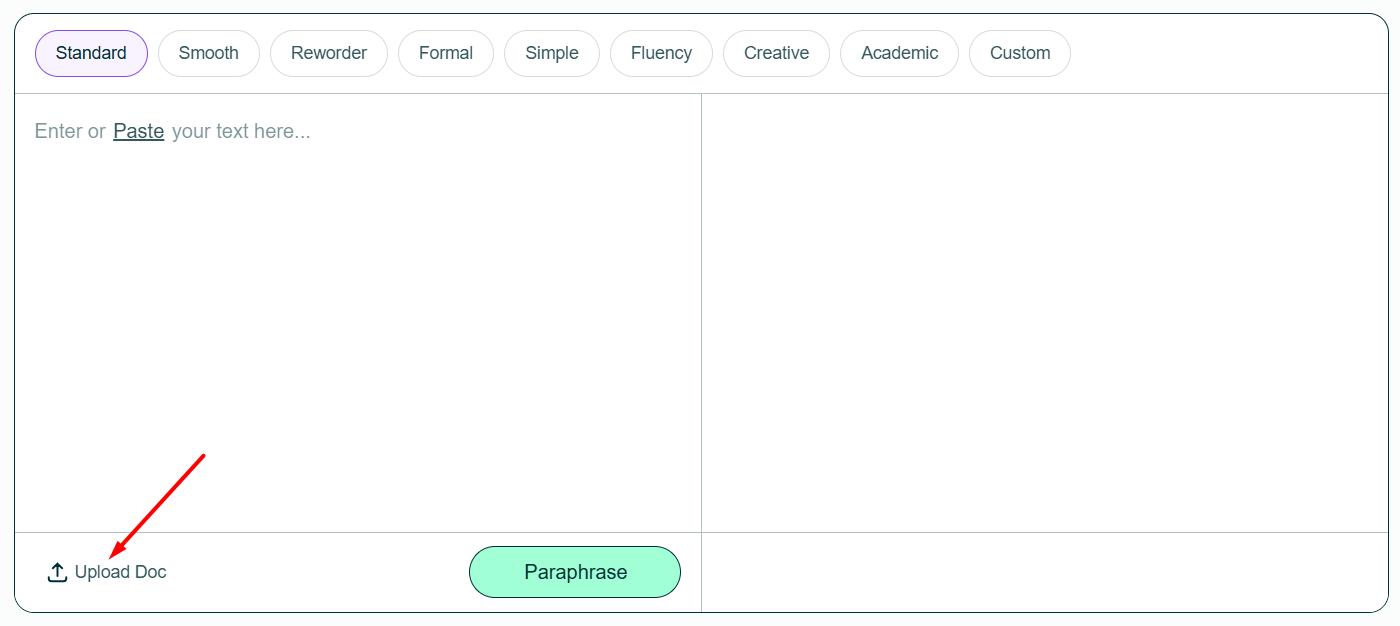
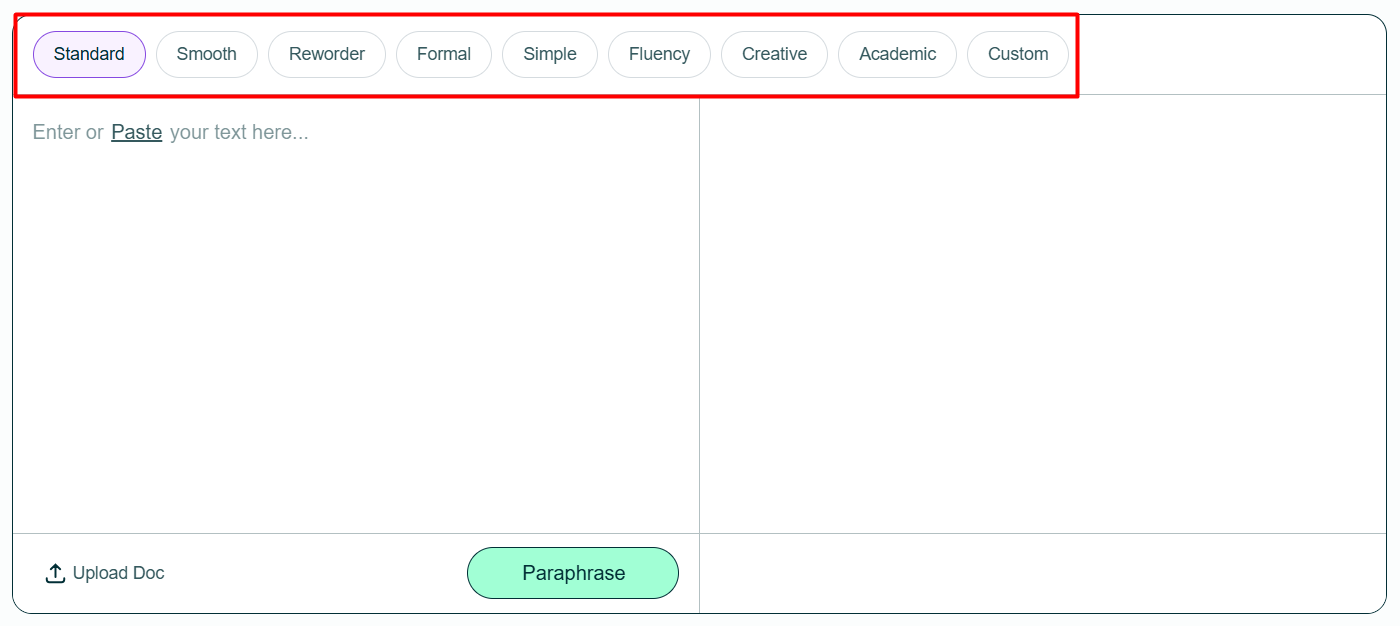
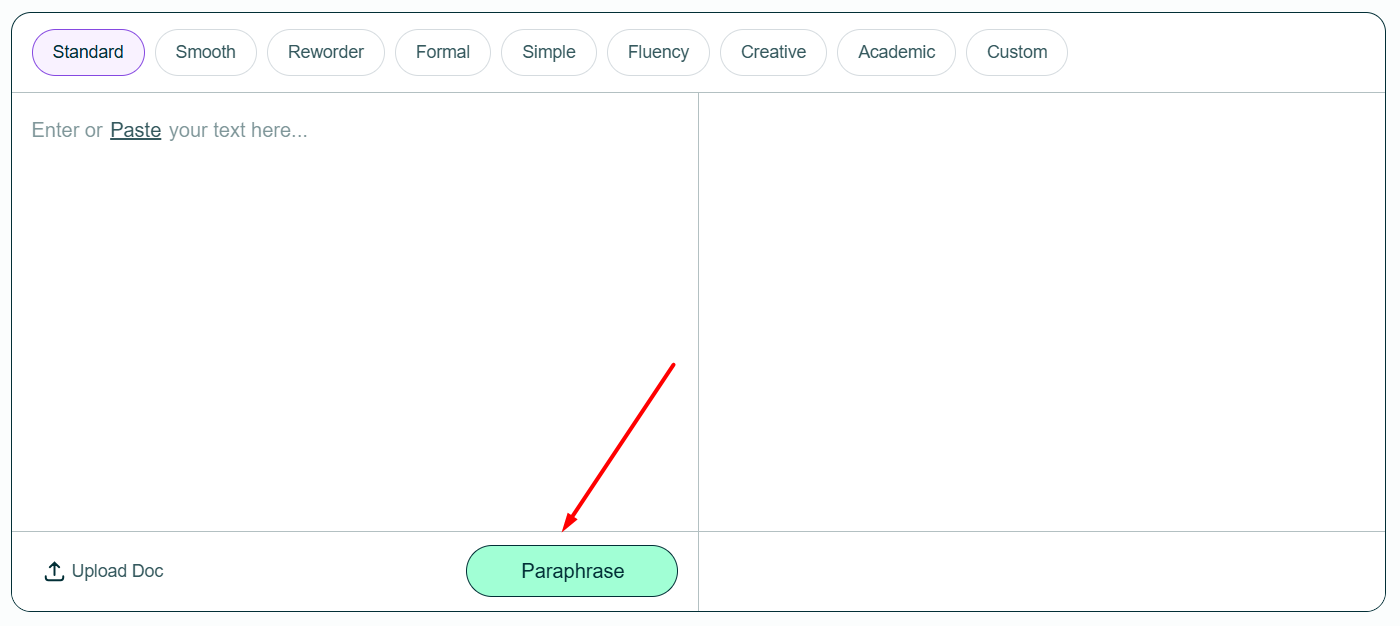
 ) / or (
 ) to download click on the download file button.
 Our paraphrasing tool helps to reword content using multiple paraphrasing modes. Using AI, It rephrase sentences without changing the context of the topic.
| 💨Instant paraphrase | Sentences, paragraphs & more |
| 😉AI modes | 8 Paraphrasing modes + Custom mode |
| ✍️Improves | Writing tone, readability, style & vocabulary |
| 📖Support | 17+ Languages |
| 💲 Price | Freemium |
Some of the features of this rephrase tool are:
Editpad’s paraphrase tool uses advanced AI models ChatGPT, Gemini and Claude to understand the context and meaning. Then, it transforms the text into a completely new and fresh content, while keeping the same meaning as the original.
Our tool rephrases text instantly within seconds. Also, the tool doesn’t compromise on accuracy during this fast working.
Our AI paraphrase is designed with simplicity in mind. Whether you’re a first-time user or an experienced one, it lets you easily rephrase text with simple steps.
Beyond paraphrasing your content into a new version, Editpad’s paraphraser improves its quality as well. It refines writing style, simplifies tone, and makes your content more relatable to readers.
Our paraphrase tool supports 17+ languages other than English, including Spanish, Portuguese, French, Indonesian, Russian, Italian, Turkish, and more.
The paraphrase tool is free and 100% safe to use for all kinds of rephrasing purposes.
To provide the best results, our tool offers different modes. Below, we explain each mode with an example, using the same input sentence.
| Mode | Purpose | Example |
|---|---|---|
| ⚙️ Standard | It is a solid default mode for everyday rewriting to refine wording, improve clarity, and make your writing flow naturally. | Businesses are interacting with customers differently as a result of artificial intelligence. |
| 😊 Smooth | It paraphrases text into a more fluent, grammatically correct, and easy-to-read version. | Artificial intelligence is transforming how companies engage with their clients. |
| 😎 Reworder | It works as a rewording tool that replaces your words with trendy and more engaging synonyms. | Artificial intelligence is also changing the way companies communicate with their clients. |
| 🎓 Formal | It rephrases text in a polished version with a professional tone suitable for business or official writing. | Artificial intelligence is transforming how companies engage with their customers. |
| 😌 Simple | It is built to paraphrase your text using plain and everyday language so it's easy for anyone to understand. | AI is changing the way businesses interact with their customers. |
| ✍️ Fluency | It builds a strong connection between sentences to improve the readability and clarity of text. | Businesses are experiencing a shift towards using artificial intelligence to connect with consumers. |
| 🎨 Creative | This mode completely changes the content structure to make it appear more creative. | Companies are transforming with the rise of artificial intelligence. |
| ⚡Custom | Set any tone like: shorten, expand, friendly, casual, or others, and the tool will rephrase text to match it. | (Shorten tone): Artificial intelligence is transforming business-customer interactions. |
This sentence rephraser may not be necessary for every writer, but it is widely used by:
It is hard to come up with engaging content. This rewording tool helps to write articles on the same topic in unique ways.
Editpad Online Paraphrase tool helps bloggers to rephrase text in a way that is more easily readable by a general audience.
Freelance writers have to write high-quality and original content. It helps them complete content tasks. Use sentence rephraser to save time in the writing process and spend more time on other important tasks such as research, editing and proofreading.
Researchers gather information from various sources which often causes accidental or semantic plagiarism in their work. Fluency is also disturbed when you hop between different sources. Editpad paraphrasing tool addresses all such issues and researchers can produce fluent, meaningful and plagiarism-free research paper using this tool.
Copywriters can use our rephrase tool to refresh old content and give it a new angle. Rephraser is super helpful when you have to write bulk content under tight deadlines.
Present the same information in a new and unique way.
As a webmaster, you have to always keep content quality, SEO quality, and usability at best. And we are here for you to help.
Create your next best-quality Social Media Posts using our paraphraser. Digital marketers can generate different ideas for Email Campaigns and advertisements using Editpad creative and professional paraphrasing mode.
Paraphrasing is the process of expressing someone's ideas in different words without changing the original meaning. Even when paraphrasing, you should still credit the original source.
The Paraphrasing Tool by Editpad stands out with its range of modes, including a custom option that lets you adjust the writing tone to suit your audience. Its advanced algorithms, fast processing, and context-aware paraphrasing also make Editpad a reliable pick compared to other tools.
You can paraphrase any type of text, including blogs, articles, excerpts, marketing copy, professional messages, and social media captions.
You can use it to adjust your writing tone, improve readability, remove jargon, and enhance the overall flow of your content.
You can paraphrase up to 1,000 words at a time with the free version. Upgrading to a Premium plan increases the limit to 10,000 words per submission
Yes. Editpad values user privacy and processes all content securely, using advanced encryption to ensure your data stays protected.

 All Writing Tools
All Paraphrasing modes
Unlimited Rephrases
2X Faster Experience
No Ads
Chat & Email Support
Go Pro
Discover our Plans

What do you think about the editpad tool?

Thank You
Your submission has been received.
We will be in touch and contact you soon!


 Editpad
 Premium
 Chat Online
 APIs
APIs